Walk in the Woods Nature Backgrounds, S4: A Fresh Canvas for Creatives
Finding the right backdrop for a design project is often the hardest part of the creative process. You need something that feels authentic, high-quality, and versatile enough to support your main content without overwhelming it. The Walk in the Woods Nature Backgrounds, S4 package is designed to solve that problem for a wide range of creators. It offers a set of four distinct, high-resolution nature scenes that serve as a foundational design asset. Think of these not just as images, but as a starting point for building entire visual worlds.
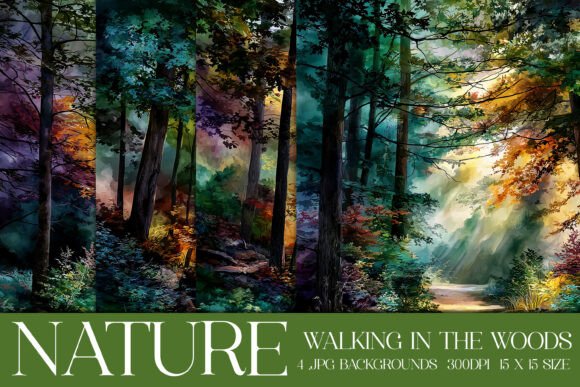
Each background in this collection captures a different facet of the forest experience. They are rich with the deep, varied greens of a living woodland, textured with the organic patterns of tree bark, foliage, and dappled light. The style leans toward a naturalistic, painterly feel rather than a stark photograph. This gives them a unique personality; they are detailed enough to be interesting but have a softness that allows text, graphics, and other design elements to be layered on top with clarity. The overall appeal is one of calm, authenticity, and connection to the outdoors. They evoke the quiet of a hiking trail, the majesty of a mountain view, and the serene beauty of a national park, all within a digital file ready for your projects.
Practical Applications for Digital and Print Crafts
The true value of a design asset like this lies in its flexibility. The Walk in the Woods Nature Backgrounds, S4 package is built for real-world use across multiple mediums. For digital crafters and designers, these backgrounds are ideal for creating social media graphics, blog headers, website hero sections, and digital invitations. The high resolution ensures they look sharp on screens of all sizes. For entrepreneurs and marketers, they provide a quick way to create professional-looking ads, email banners, and product mockups that feel grounded and trustworthy.
For those in the physical craft space, the applications are just as broad. The files are sized at 15x15 inches at 300dpi, making them perfect for print-on-demand projects. Use them as scrapbook paper, for card making, or as the base for sublimation designs on mugs, tumblers, and garden flags. They work beautifully for creating custom stickers, t-shirt designs, and even notebook covers. The consistent, high-quality print output is a key feature, ensuring your handmade goods look polished and professional. This package effectively bridges the gap between digital design and tangible product creation.
How a Quality Background Influences Your Project's Success
A background does more than fill empty space; it sets the tone for your entire composition. Choosing a background like the ones in Walk in the Woods Nature Backgrounds, S4 can directly influence how your audience perceives your work. A natural, forest-themed background can evoke feelings of peace, growth, adventure, and reliability. This emotional resonance is powerful for brand identity, especially for businesses in outdoor gear, wellness, sustainable goods, or local tourism.
From a technical design perspective, a well-chosen background improves visual hierarchy. It provides context and depth, allowing your main message—whether it's a logo, a headline, or a product image—to stand out more effectively. The soft, textured nature of these backgrounds helps with readability, as they are less likely to create harsh visual competition with overlaid text. For a content creator or blogger, using a consistent set of nature backgrounds can also contribute to a recognizable and professional aesthetic across your website and social media channels, building audience trust and engagement over time.
Making the Most of Your Design Assets
When you download the Walk in the Woods Nature Backgrounds, S4 package, you receive four high-quality RGB JPG files. To get the most out of them, consider a few practical tips. First, always test how your chosen font pairing works with the background. A clean sans-serif font often provides excellent contrast against the organic textures. For a more rustic or elegant feel, a simple serif or a subtle script font can also work, but be sure to check legibility at the intended size.
Experiment with layering techniques in your design software. You can adjust the opacity of the background, apply a subtle color overlay to match your brand palette, or use blending modes to integrate it more seamlessly with other elements. For print projects, remember that the RGB color mode is optimized for screen display. If you are sending files to a professional printer, they may request a conversion to CMYK; this is a standard step and the rich greens in these backgrounds typically translate well. Always review the specific licensing terms included with your purchase to ensure they cover your intended use, whether for personal projects or commercial products. This small step ensures you can create with confidence and full creative freedom.